RF codeplug workspace
Radio profile, zones, RF channels, digital contacts, receive groups, and scan lists.
Link'd DMR CPS 2.0
Build and manage the app-owned RF codeplug from a professional Windows workspace with full-size tables, progressive drill-down editing, validation, backup, verification, and guarded recovery.
CPS 2.0 Release Candidate 2 · Windows 10 or 11 · x64 · 67.7 MiB
Matching Android app: 0.2.65 Public Beta · build 68
Professional workflow
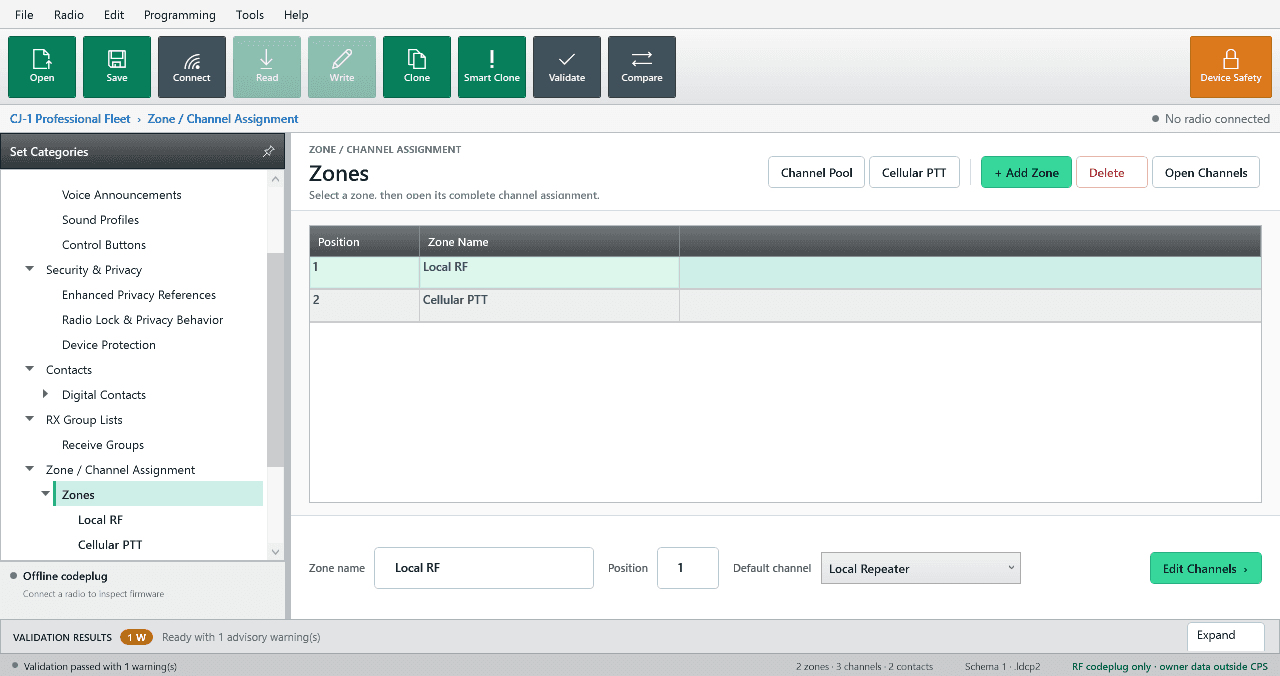
The redesigned workspace follows the way radio programming actually works: choose the container, inspect its channels, then open the exact record you want to program.
Start from a clean, full-width zone list with position, default channel, Channel Pool, and Cellular PTT planning clearly separated.
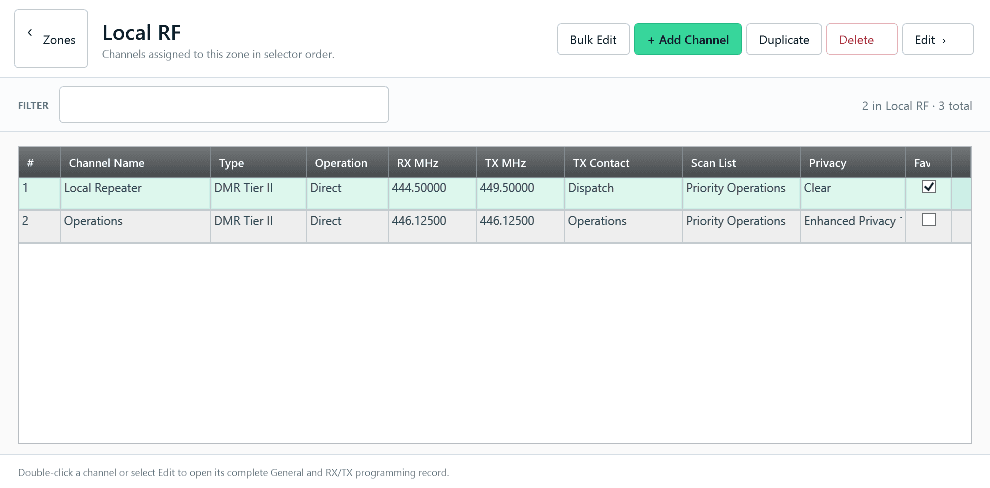
See the selected zone's channel assignment as a professional table, then add, duplicate, delete, filter, or bulk edit with the scope visible.
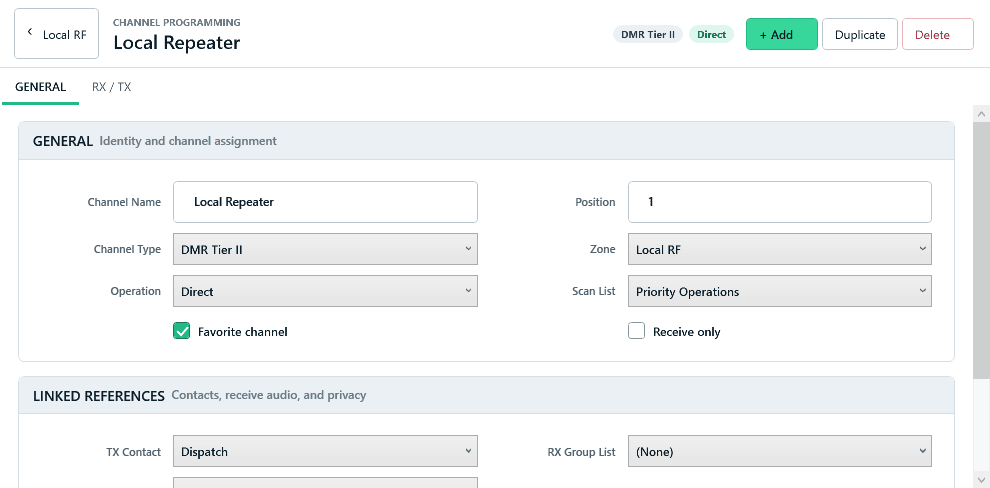
Open a dedicated General and RX/TX editor instead of squeezing zones, channels, and settings into three narrow panes.
Read and write
Read and Write no longer feel like a frozen application. A dedicated progress window shows the protected programming session from preparation through verification and finish.
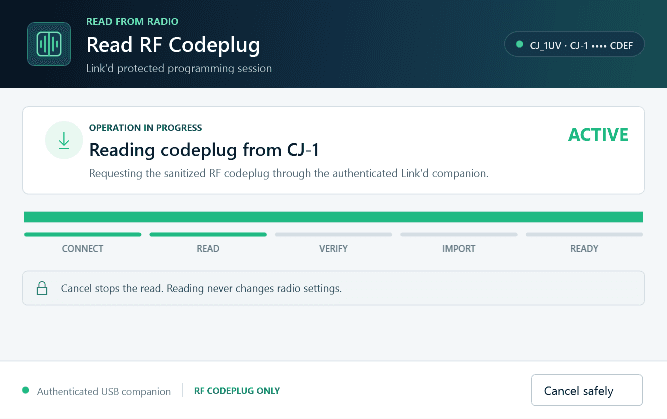
Connection, transfer, validation, and completion remain visible while the app-owned RF codeplug is read.
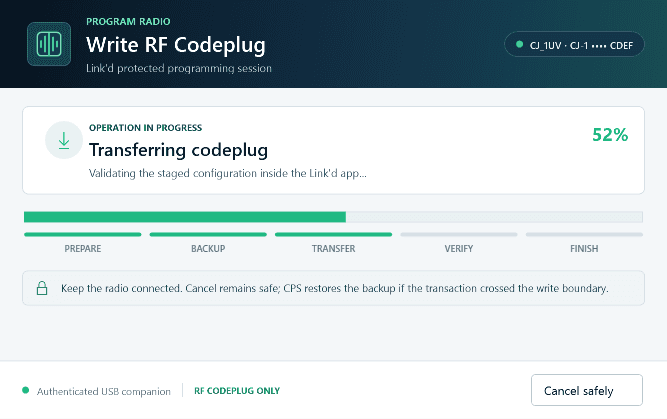
Backup, transfer, verification, and recovery status are shown clearly; cancellation stays safe before the write boundary.
What is included
Radio profile, zones, RF channels, digital contacts, receive groups, and scan lists.
Full-width tables, dedicated editors, filters, validation, comparison, and guarded bulk actions.
Communicates with the Link'd app over USB ADB. It does not perform direct RF-module or firmware readback.
Recordings, archives, credentials, history, privacy key bytes, firmware, and flashing controls are not exposed to CPS.
Downloads
Use the current CPS release candidate on Windows and the matching Android public beta on the CJ-1. The Android update adds the protected CPS programming handoff.
Windows
Windows 10 or 11 · x64 · 67.7 MiB · Unsigned release candidate
Download CPS ZIPSHA-256
DE60AD3BE7ACF3E6FE7B8D0DF6BF2D80BAD96DBB3B2EF24F18D656488DED0D7BAndroid
Build 68 · 72.3 MiB · signed APK
SHA-256
ABF7C9AB3CBC9580F8D5BE35DEA5F228C57D504C8919C244937E440E750BEE58